
Network consumption
Consumption tracking gives you an overview of your trackers' activity. How many messages transmitted? How many elements sent? On which network?
Consumption tracking
Consumption tracking gives you a factual view of your trackers' activity:
- number of messages sent,
- breakdown by element type (GPS, events, configurations),
- consumption by network type (cellular vs satellite).
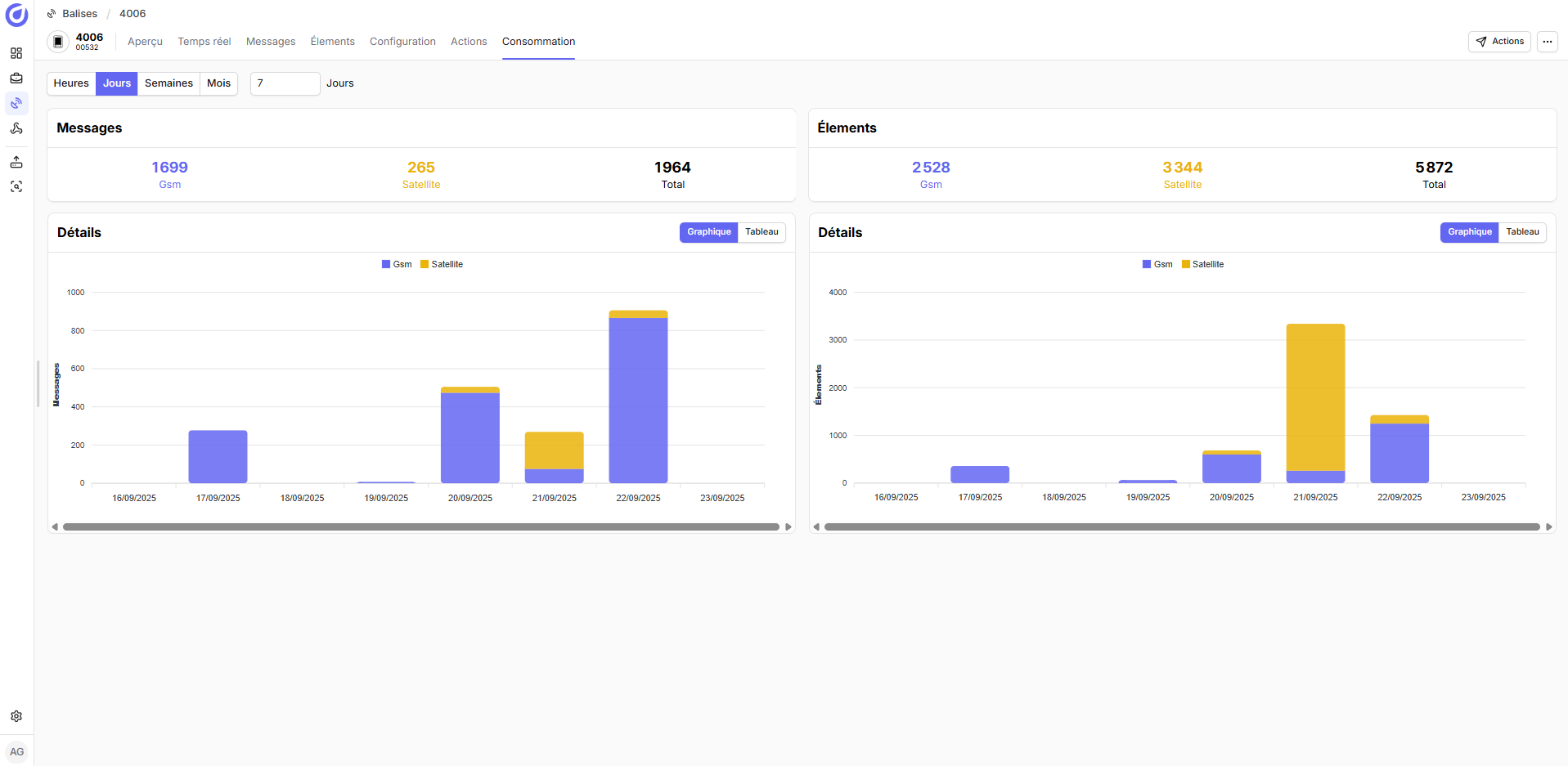
The objective: help you optimize your deployments and control your consumption
Summary view
- Analyzed period: selector (Today, 7 days, 30 days, custom).
- Quick summary (at the top):
- Total messages sent
- Total elements (Points / Events / Config / Logs)
- Breakdown by network (LTE-M / NB-IoT / NTN) in %, bars or donut
- Detail by network:
- Messages transmitted via the network
- Elements contained in these messages
- Elements per message (average) → indicates batching
- Trend (mini-sparkline) over the period
- Timeline (optional if available): daily volume of messages per network